
Detecting Malicious Activities with Sysmon

Project Overview
n this project, I delved into the analysis of Sysmon (System Monitor) event files to enhance my understanding of security monitoring and threat detection on Windows systems. I focused on DLL hijacking, unmanaged PowerShell code execution, and the examination of processes related to LSASS dumps and subsequent logins, aiming to uncover potential vulnerabilities and malicious activities that could compromise system integrity.
I obtained three sample event files generated by Sysmon and conducted a thorough analysis to identify suspicious behaviors and processes. By examining the logs, I looked for indicators of DLL hijacking, which can allow unauthorized code execution, as well as instances of unmanaged PowerShell code execution often associated with nefarious activities. Additionally, I investigated processes that performed LSASS (Local Security Authority Subsystem Service) dumps, as these can be critical for attackers attempting to access sensitive information and credentials.
Collecting and Storing Event Files
Firstly, I collected the event files and stored them in a folder called logs. I ensured that I gathered logs from relevant directories, including C:\Logs\DLLHijack, C:\Logs\PowershellExec, and C:\Logs\Dump, for analysis.
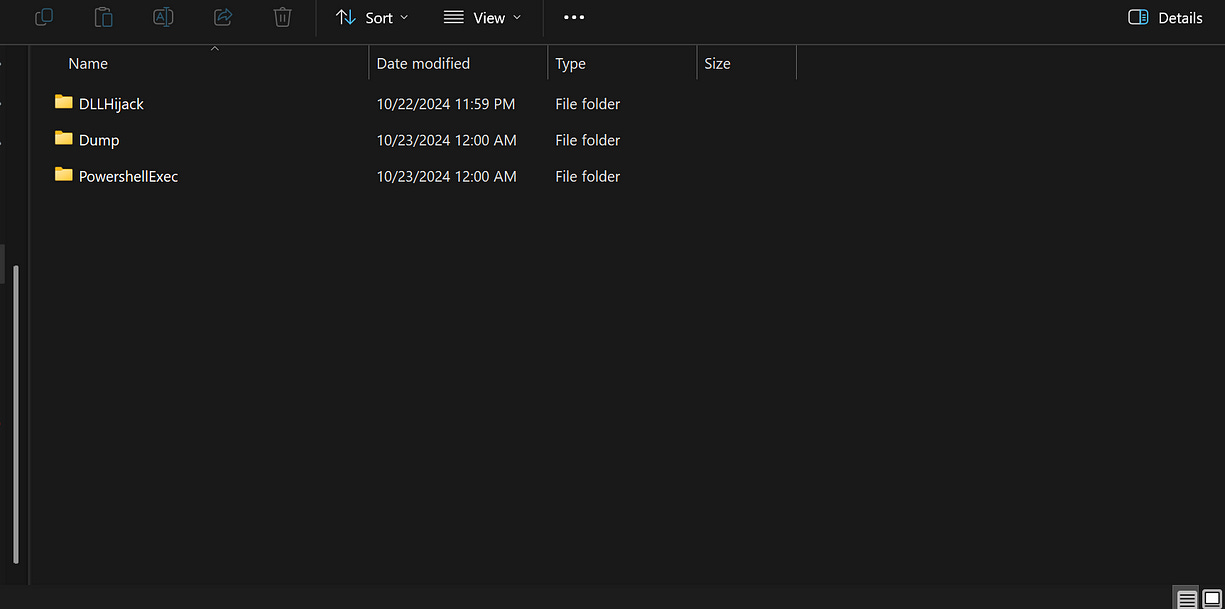
DLL Hijacking Log:
In my analysis of the Sysmon DLL Hijacking log, I specifically focused on identifying signs of DLL hijacking. This type of attack occurs when a malicious DLL file is loaded in place of a legitimate one, allowing unauthorized access and code execution. I carefully examined the logs for specific indicators and behaviors associated with DLL hijacking.
To enhance my analysis, I utilized the MITRE ATT&CK framework, specifically the technique outlined in T1574.001: DLL Search Order Hijacking. This resource provided valuable insights into detection methods and indicators that are commonly associated with DLL hijacking attacks, which I then applied to my investigation.
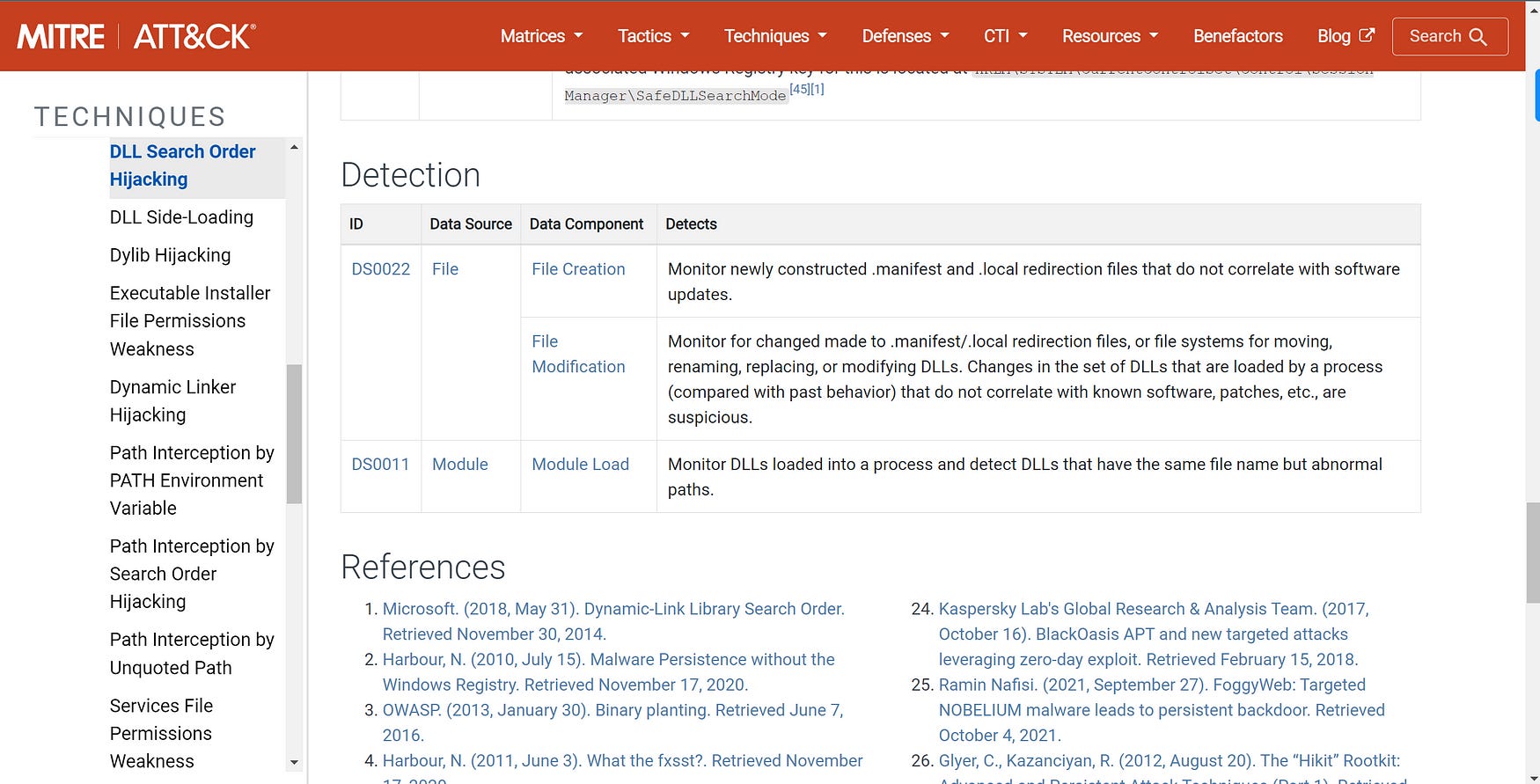
Additionally, I referred to the article on hijacking DLLs in Windows, which further expanded my understanding of the mechanics and implications of DLL hijacking.
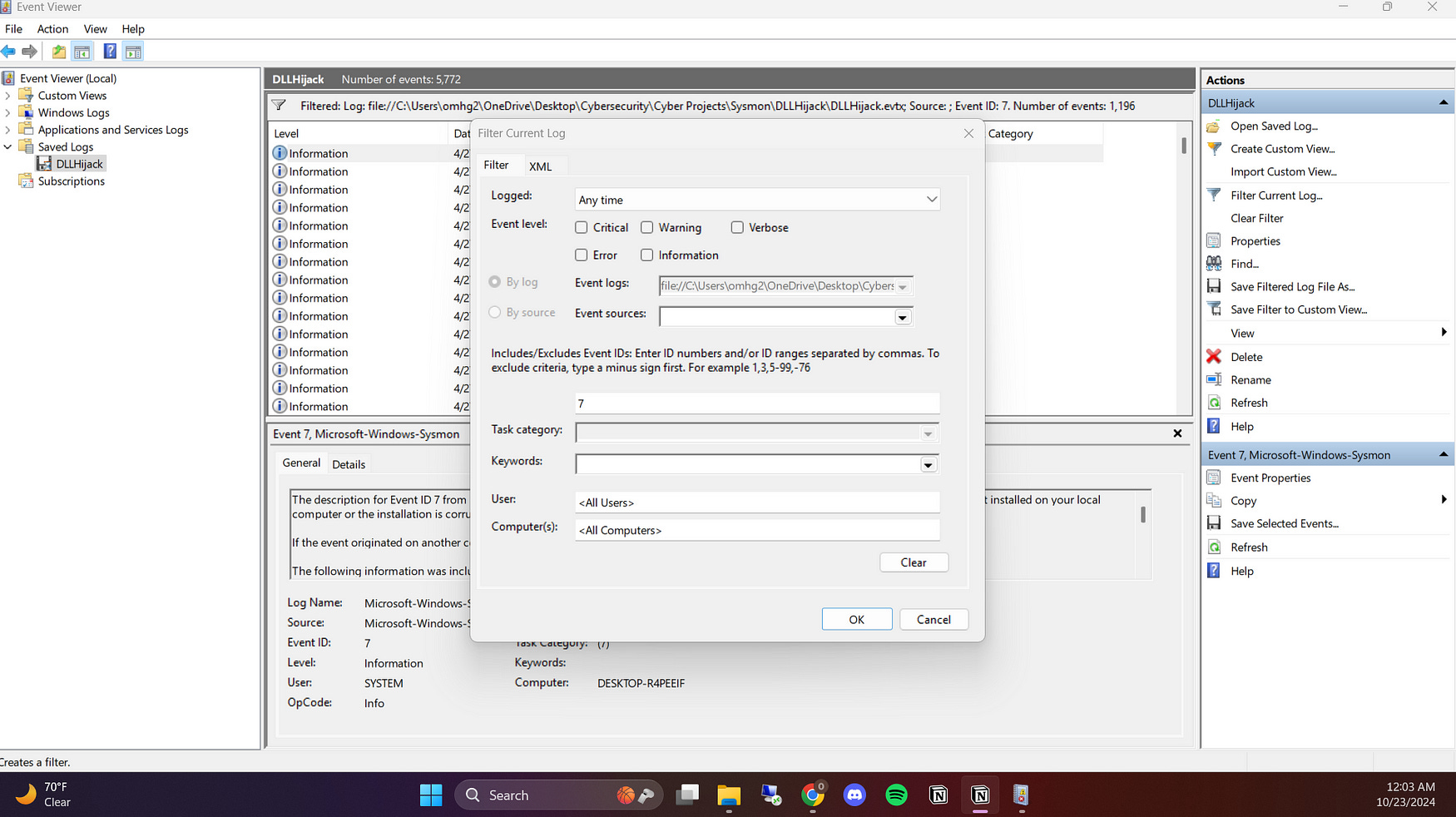
Filtering by Event Codes: To narrow down my investigation, I focused on filtering the Sysmon event logs, particularly Event ID 7, which is associated with Image Loaded events. By doing this, I could specifically look at the DLLs loaded by processes during the runtime. This filtering helped me pinpoint unusual and suspicious DLL loads that deviated from the standard directories such as C:\Windows\System32, allowing me to spot potential DLL hijacking attempts more efficiently.
I also filtered the logs for keyword “false” to find any images that were not signed by Microsoft. This helped me detect potentially malicious files, as legitimate system DLLs are typically signed. Identifying unsigned DLLs provided further evidence of suspicious activity.
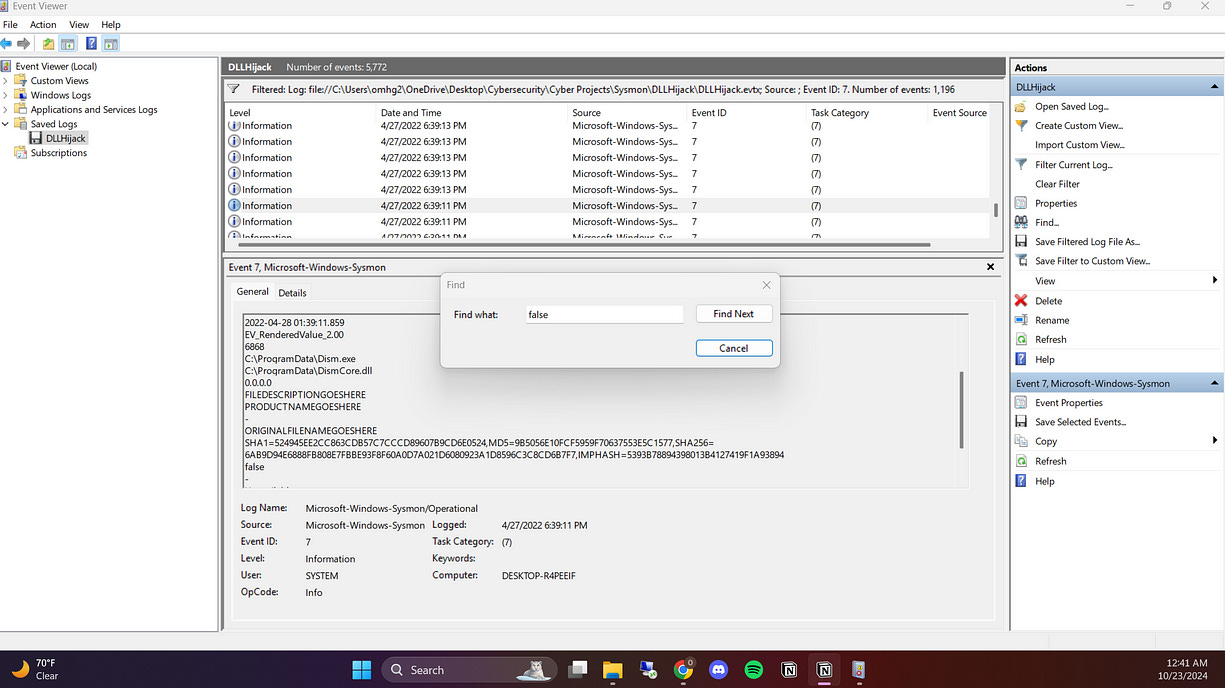
I then found this suspicious log, and below there are detailed info about the log, which made it suspicious.
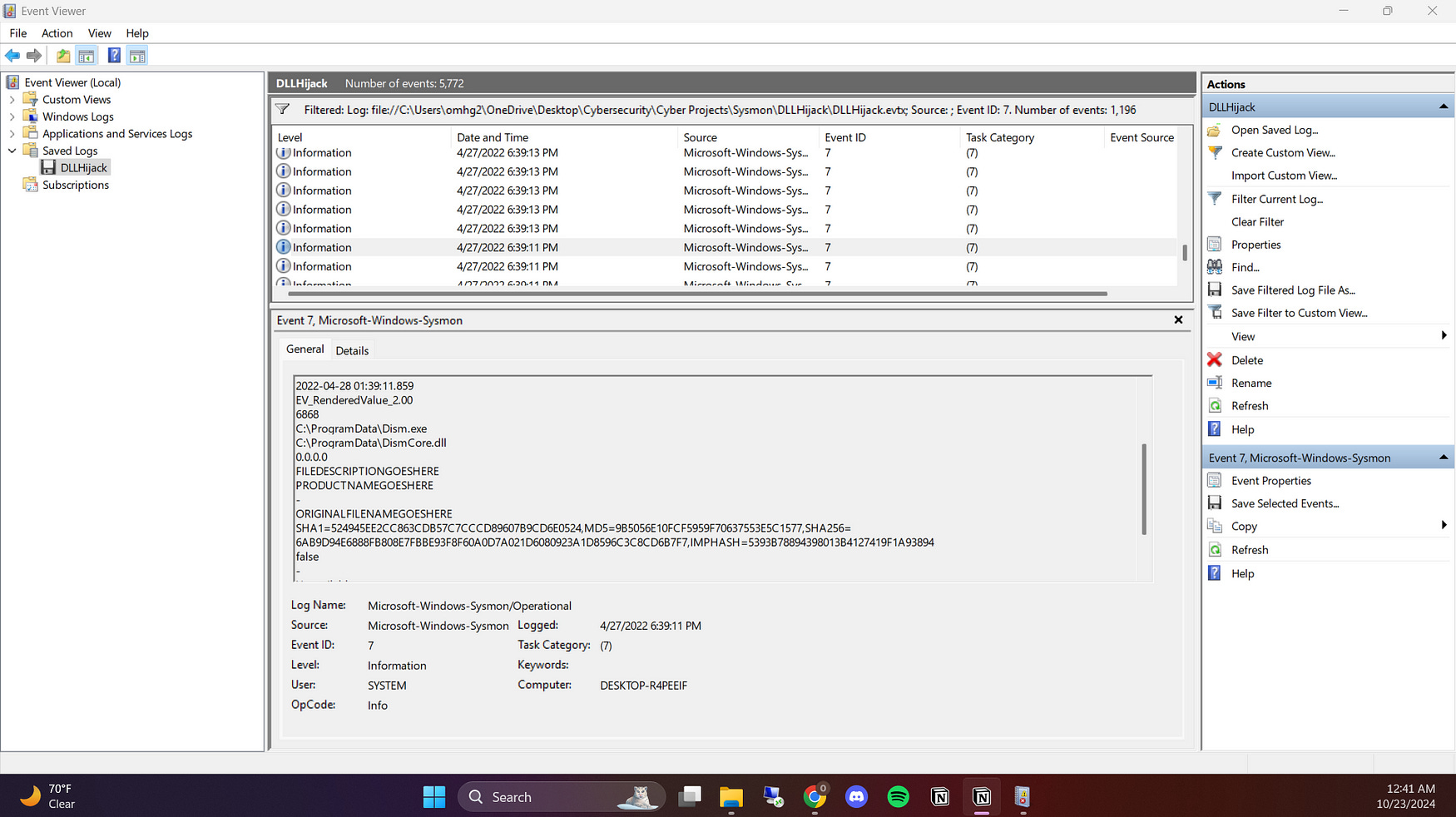
Image Loaded: C:\ProgramData\DismCore.dll
The DLL file is loaded from
C:\ProgramData, which is an unusual location for legitimate system DLLs. Typically, DLLs associated with Windows would be loaded fromC:\Windows\System32. Loading a DLL fromProgramDatasuggests the possibility of DLL hijacking or tampering.
Image Executed: C:\ProgramData\Dism.exe
Similarly, the executable
Dism.exebeing loaded fromProgramDatais concerning. DISM (Deployment Imaging Service and Management Tool) is a legitimate Windows utility, but it should normally be located inSystem32. The fact that both the executable and DLL are loaded from an atypical directory indicates potential abuse of the legitimate tool.
Unsigned Image:
The DLL is not digitally signed (
Signed: false), which raises a red flag. Legitimate Windows system files are almost always digitally signed. The lack of a signature suggests the file could have been modified or replaced with a malicious version.
Conclusion:
This log provides clear indicators of potential DLL hijacking. The use of both the executable (Dism.exe) and DLL (DismCore.dll) from the atypical C:\ProgramData directory is highly suspicious, as these files are normally located in C:\Windows\System32. The fact that the DLL is unsigned further raises concerns, as legitimate system files are usually digitally signed by Microsoft. This suggests that the DLL may have been tampered with or replaced by a malicious version.
Unmanaged PowerShell Execution Log
The next step in my analysis focused on identifying unmanaged PowerShell execution and determining which processes were responsible for executing and injecting PowerShell code. This kind of behavior can indicate malicious activities like code injection or attempts to bypass security policies.
I examined event logs for any process injection activity and focused on identifying processes that were performing unexpected or unauthorized PowerShell executions. These processes can include legitimate system processes that attackers have hijacked to run their malicious scripts.
I started by filtering Event Code 1, which tracks Process Creation events. This event code is particularly useful for identifying when a new process is created, allowing me to trace the source of any unmanaged PowerShell execution. By focusing on this event code, I could monitor the processes that were launched and check whether any of them were executing PowerShell commands indirectly or suspiciously. This initial filter helped narrow down the processes involved in potential code injection or unauthorized PowerShell use, making it easier to investigate further.
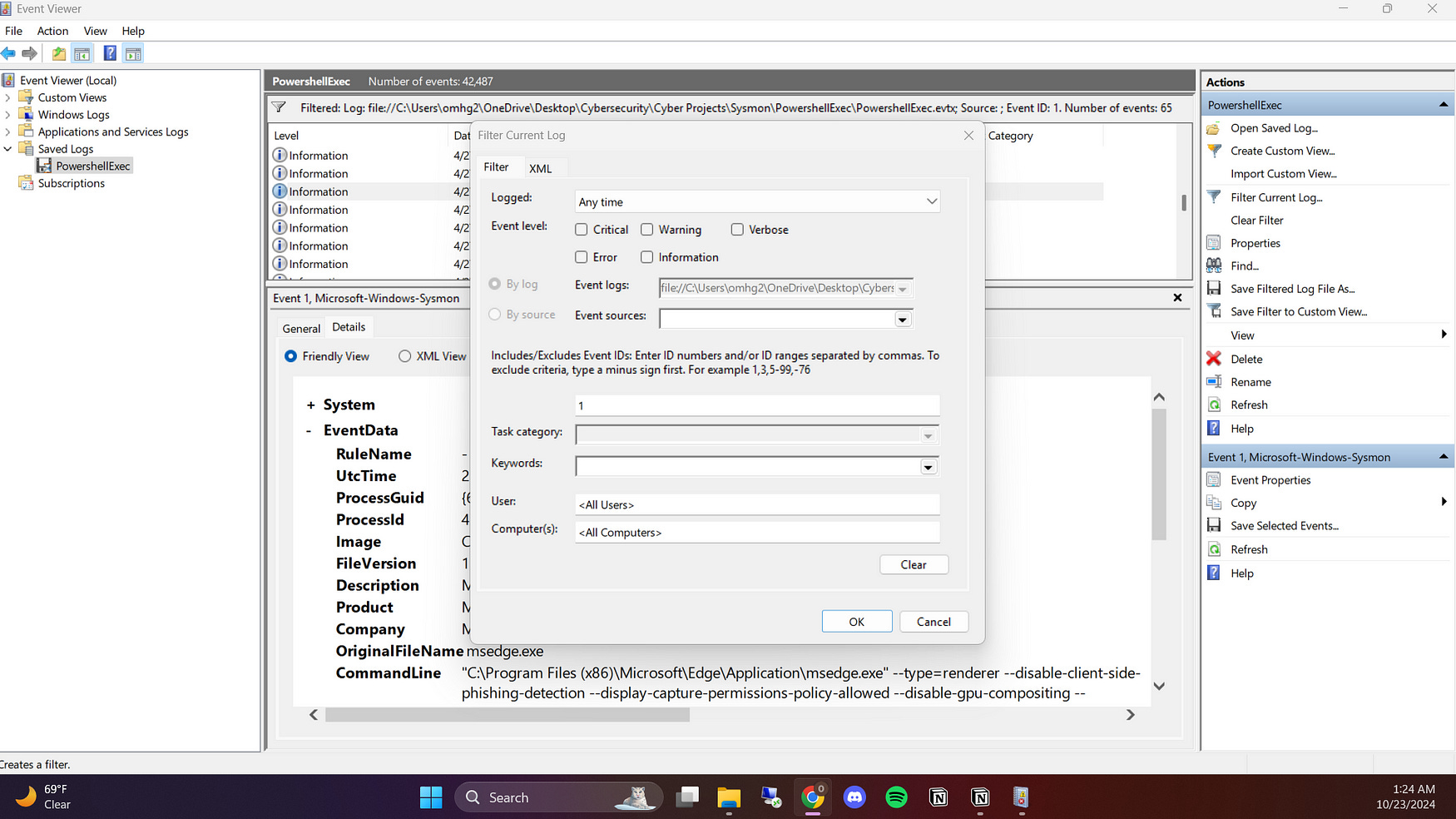
I found that calculator.exe was being executed, which immediately raised my curiosity. It’s unusual for calc.exe—a simple calculator application—to be used in scenarios where PowerShell code execution or process injection is being monitored. This led me to investigate further, as it could be an indicator of malicious actors using a trusted, benign application like calc.exe to disguise their actions or as a host for running malicious scripts. I wanted to determine if calc.exe was being exploited for purposes other than its intended function, which could indicate suspicious activity such as process hollowing or DLL injection.
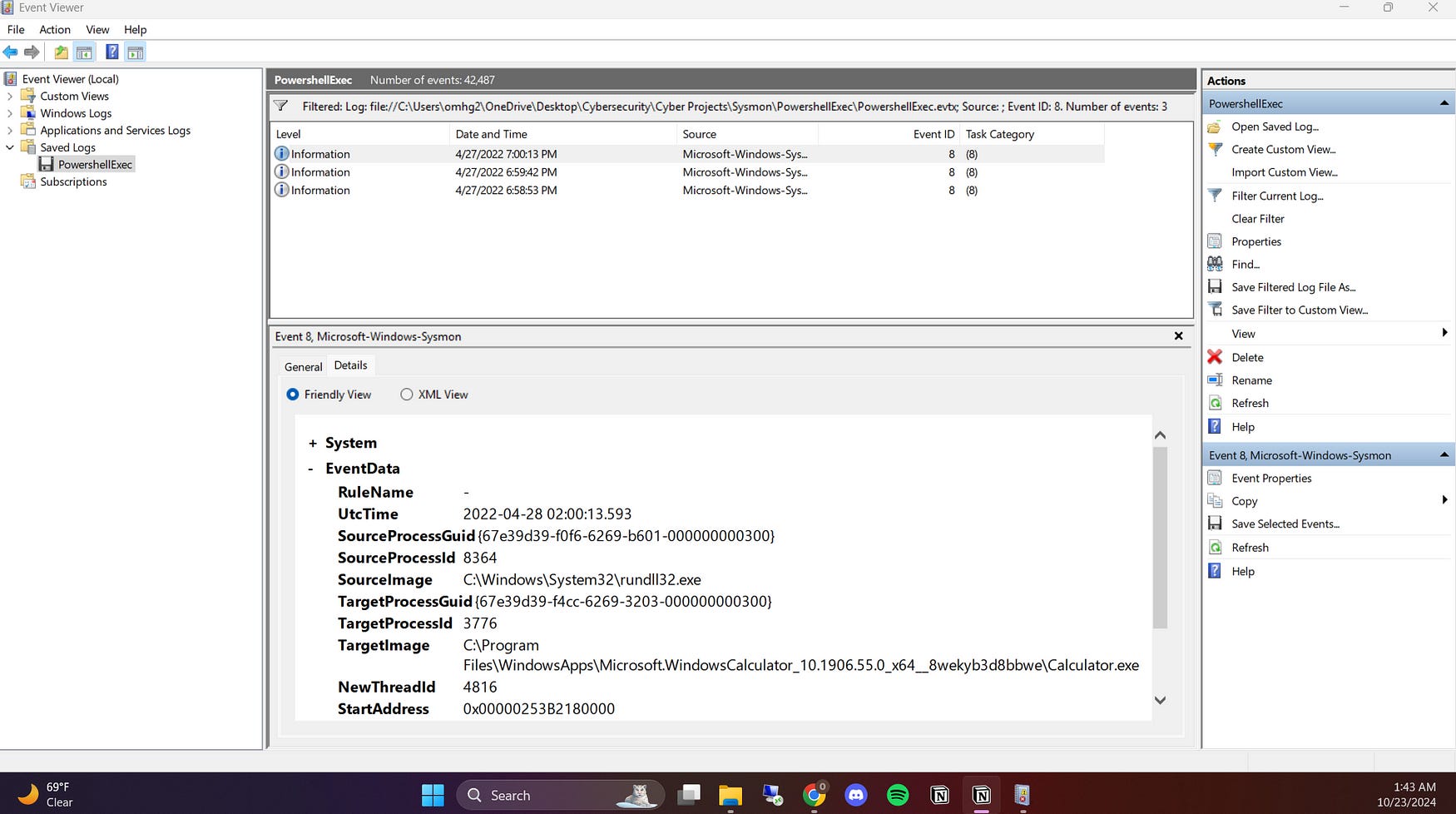
I also observed that Calculator.exe was executed from the path Files\WindowsApps\Microsoft.WindowsCalculator_10.1906.55.0_x64__8wekyb3d8bbwe\Calculator.exe, which raised my suspicion because this process should run in C:\Windows\System32\. This non-standard location for the executable is concerning, as applications from the Windows Store typically run in a sandboxed environment and should not be involved in scenarios related to PowerShell code execution or process injection.
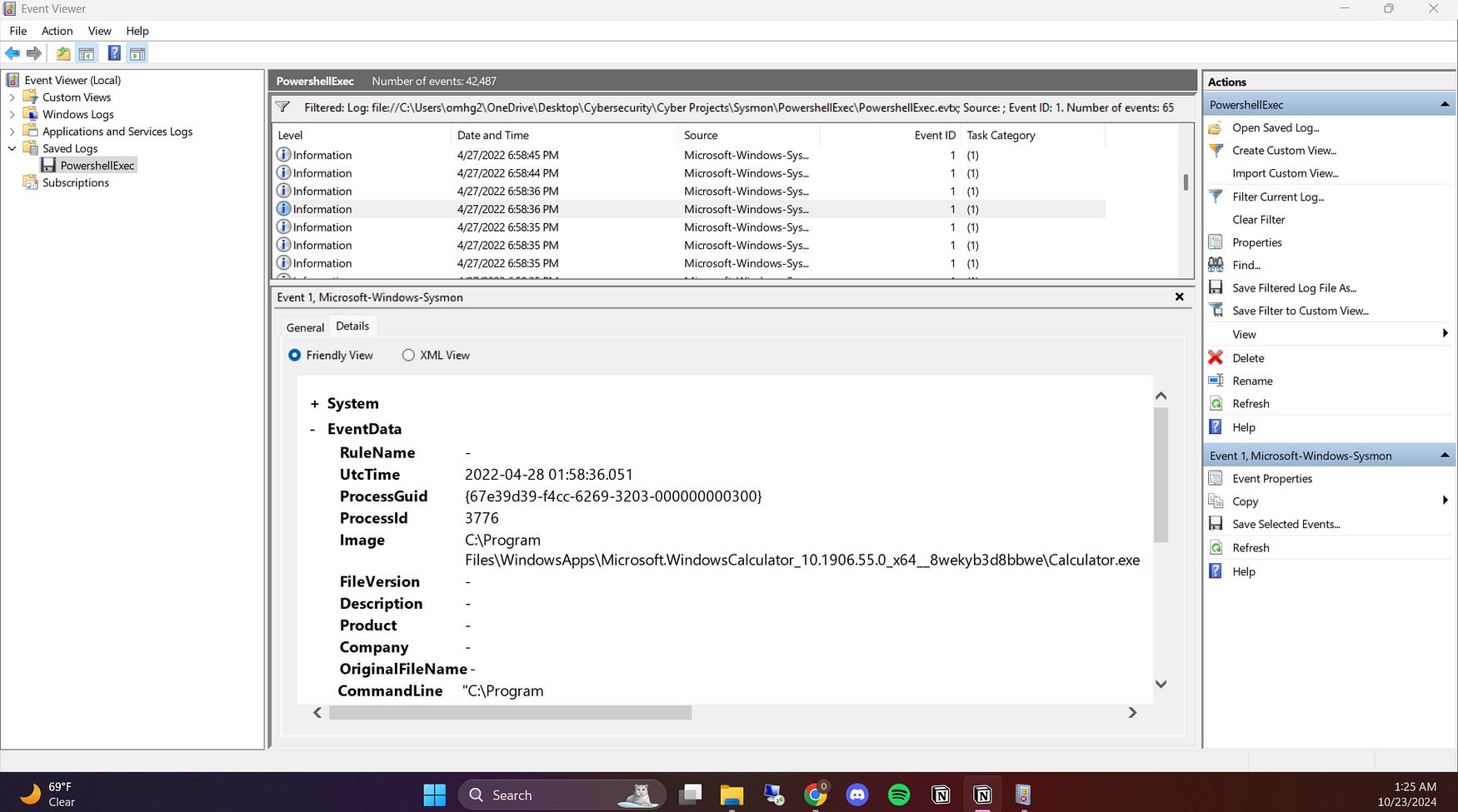
I then filtered for Event Code 7, which tracks Image Loaded events, and searched for the keyword Calculator.exe to pivot further in my investigation. This filtering allowed me to identify all instances where Calculator.exe was loaded into memory, providing additional context around its usage. By analyzing these events, I aimed to uncover any suspicious behavior associated with the application, such as unexpected processes that might have been interacting with it or any anomalies in its loading patterns. This step was essential in determining whether Calculator.exe was being exploited or used legitimately within the environment.
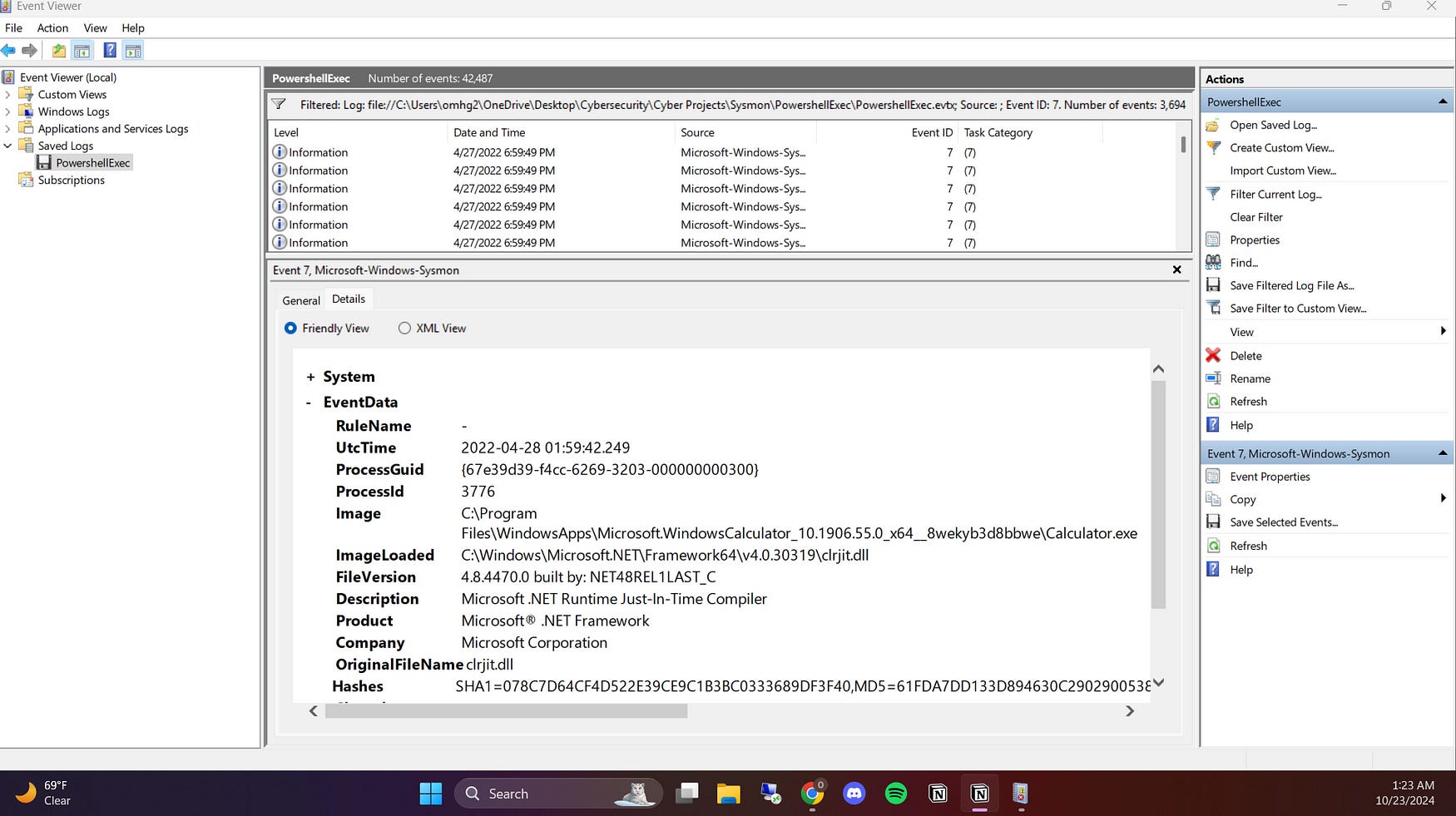
The loading of clrjit.dll, the Just-In-Time (JIT) compiler for .NET applications, is a standard procedure for programs that utilize the .NET runtime. However, in the case of Calculator.exe, this raised my suspicion. If the Calculator was not expected to perform operations requiring the .NET framework, it could indicate that something unusual was occurring like running a malicious code. Attackers often exploit legitimate processes to load malicious or unwanted code, so I remained vigilant in analyzing this behavior. This instance warranted further investigation to determine if the application was functioning as intended or if it was being manipulated for malicious purposes.
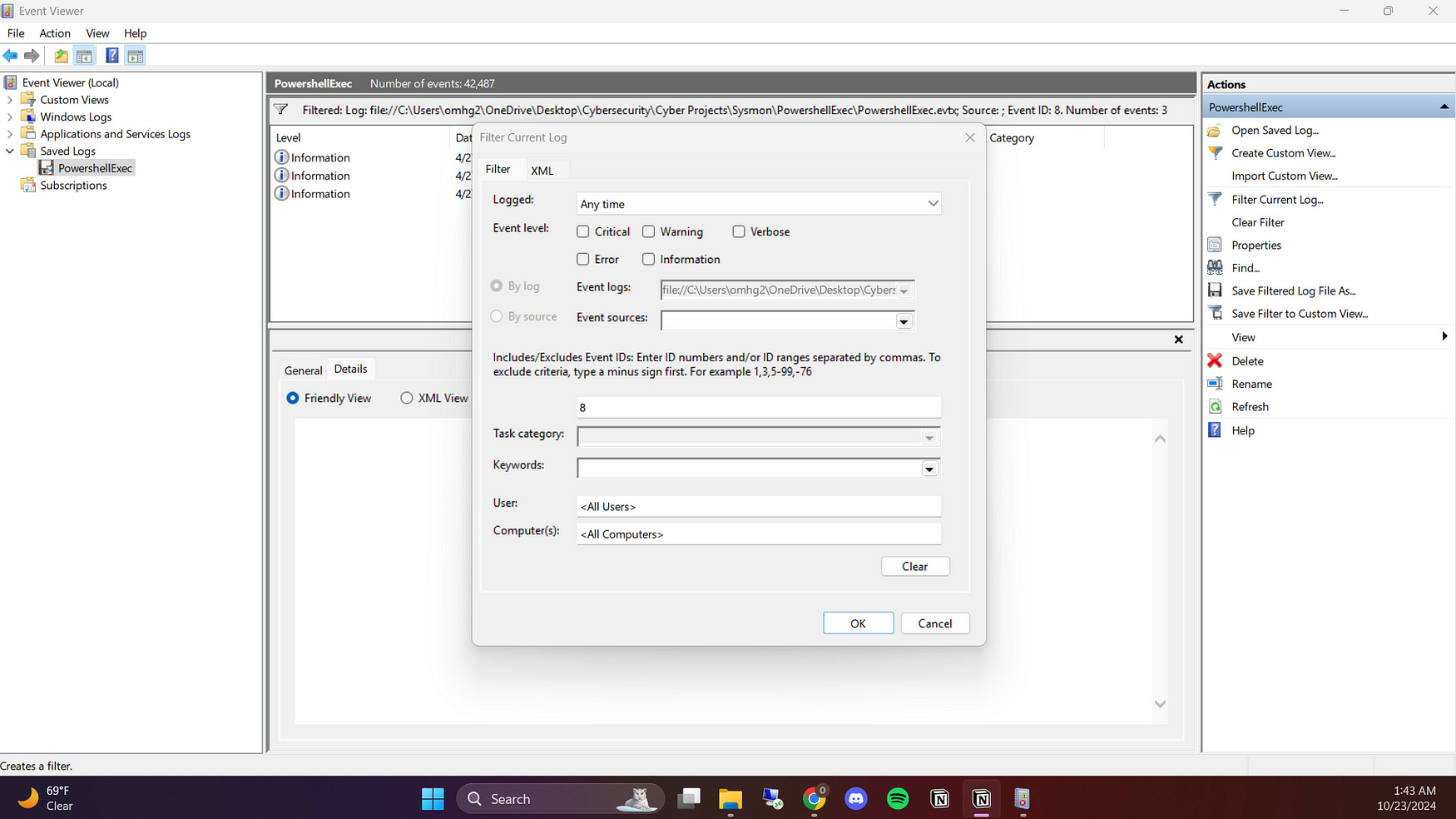
I also discovered that rundll32.exe was the process that injected code into Calculator.exe by filtering Event Code 8, which executed unmanaged PowerShell code. This interaction raised significant concerns, as it indicated potential exploitation of the Calculator application. The injection of unmanaged PowerShell code through a legitimate process like Calculator.exe suggested that malicious activities could be occurring without the user’s awareness.
Conclusion
In conclusion, my investigation into DLL hijacking and unmanaged PowerShell execution revealed critical insights into potential malicious activities occurring within the system. The injection of code from rundll32.exe into Calculator.exe, which subsequently executed unmanaged PowerShell code, raised significant red flags regarding security and integrity. Additionally, the involvement of clrjit.dll — a .NET component — indicated that the Calculator application might have been exploited to run unexpected code, further complicating the analysis.
This analysis underscored the importance of vigilance in monitoring processes and understanding their interactions, especially when legitimate applications are involved. By leveraging various tools and methodologies, I was able to uncover suspicious behaviors that could indicate a compromise. Continued awareness and investigation are essential in mitigating risks associated with such activities and ensuring a secure computing environment.
LSASS Dump Log:
This log pertains to a LSASS (Local Security Authority Subsystem Service) memory dump, where an unexpected process accessed and dumped sensitive information from lsass.exe, which handles user authentication and stores credentials. This type of behavior is often associated with credential dumping attacks, as attackers may use the stolen credentials to escalate privileges or move laterally within a system. The log captures details about the process that performed the dump and sets the stage for further investigation into potential unauthorized logins or suspicious activities that followed.
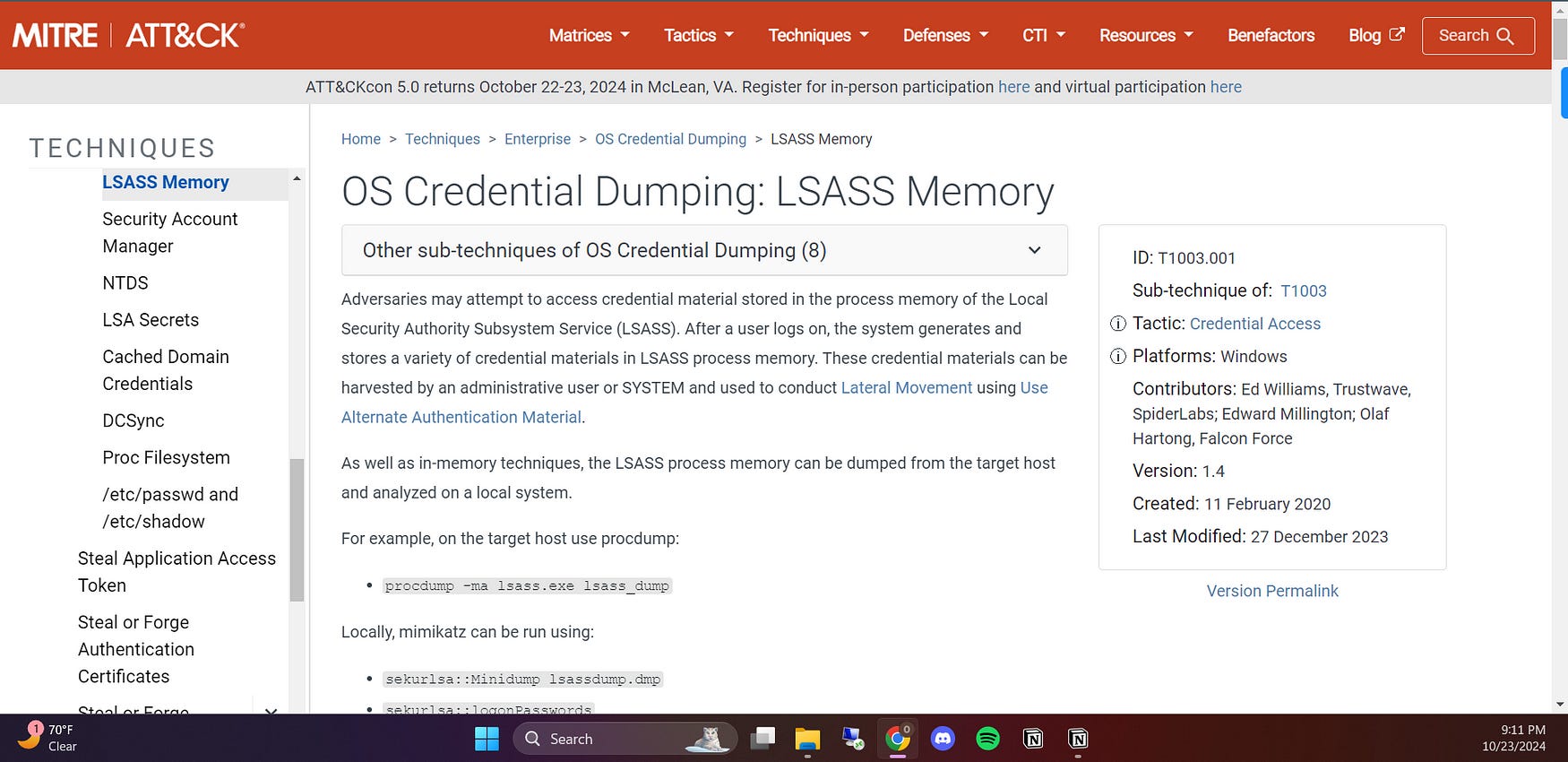
I first referred to the MITRE ATT&CK framework, specifically T1003.001, which outlines techniques for credential dumping through LSASS. This technique is commonly used by attackers to extract credentials from LSASS memory. The framework helped me understand how attackers typically operate, guiding me to focus on processes that accessed lsass.exe and any suspicious logins following the dump.
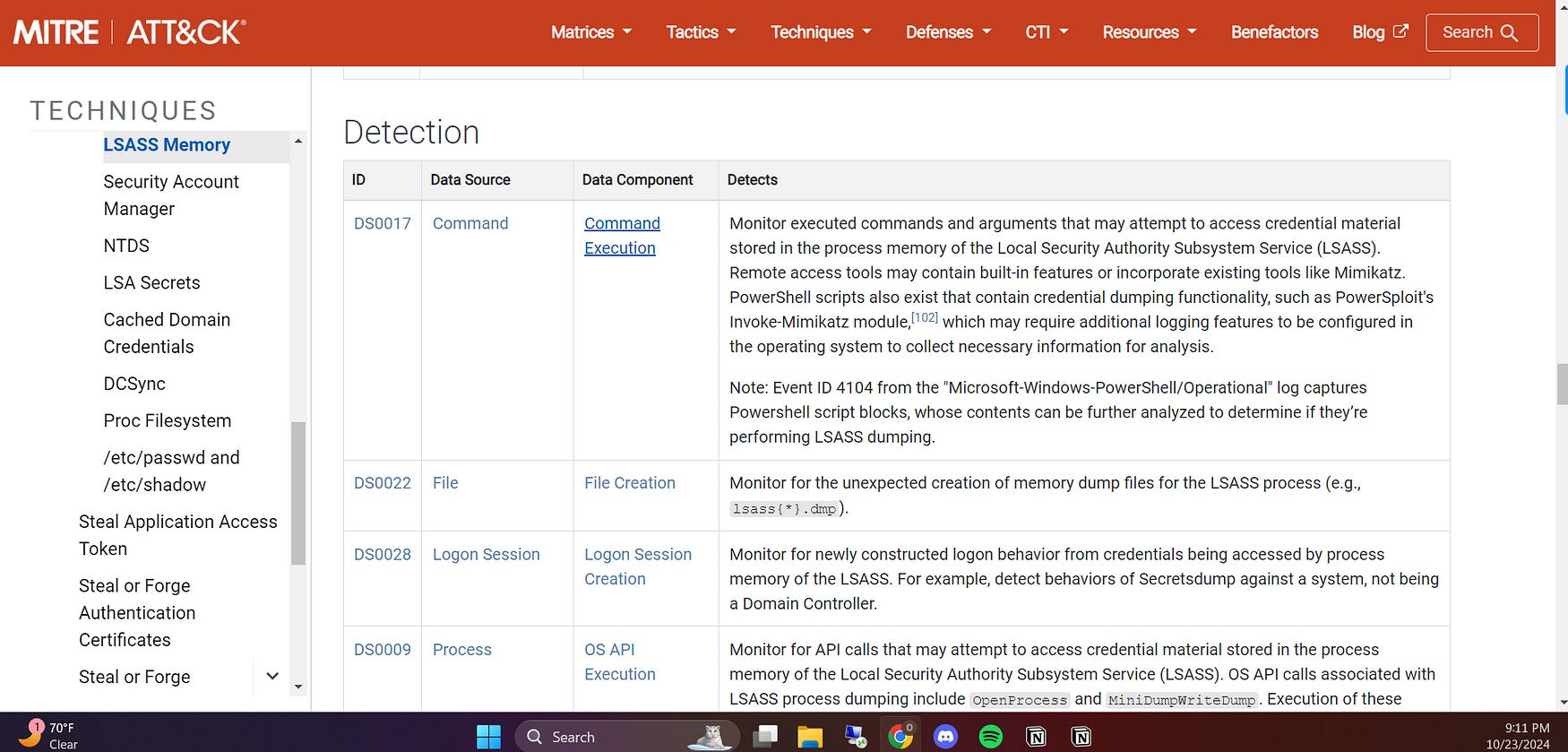
I explored various detection techniques and found Detection ID DS0022 especially helpful. I looked for occurrences of lsass.exe.dmp to check if it had been accessed by any suspicious processes and uncovered that ProcessHacker.exe was attempting to do so. This raised a potential red flag, leading me to analyze the security logs further to assess whether this activity was malicious.
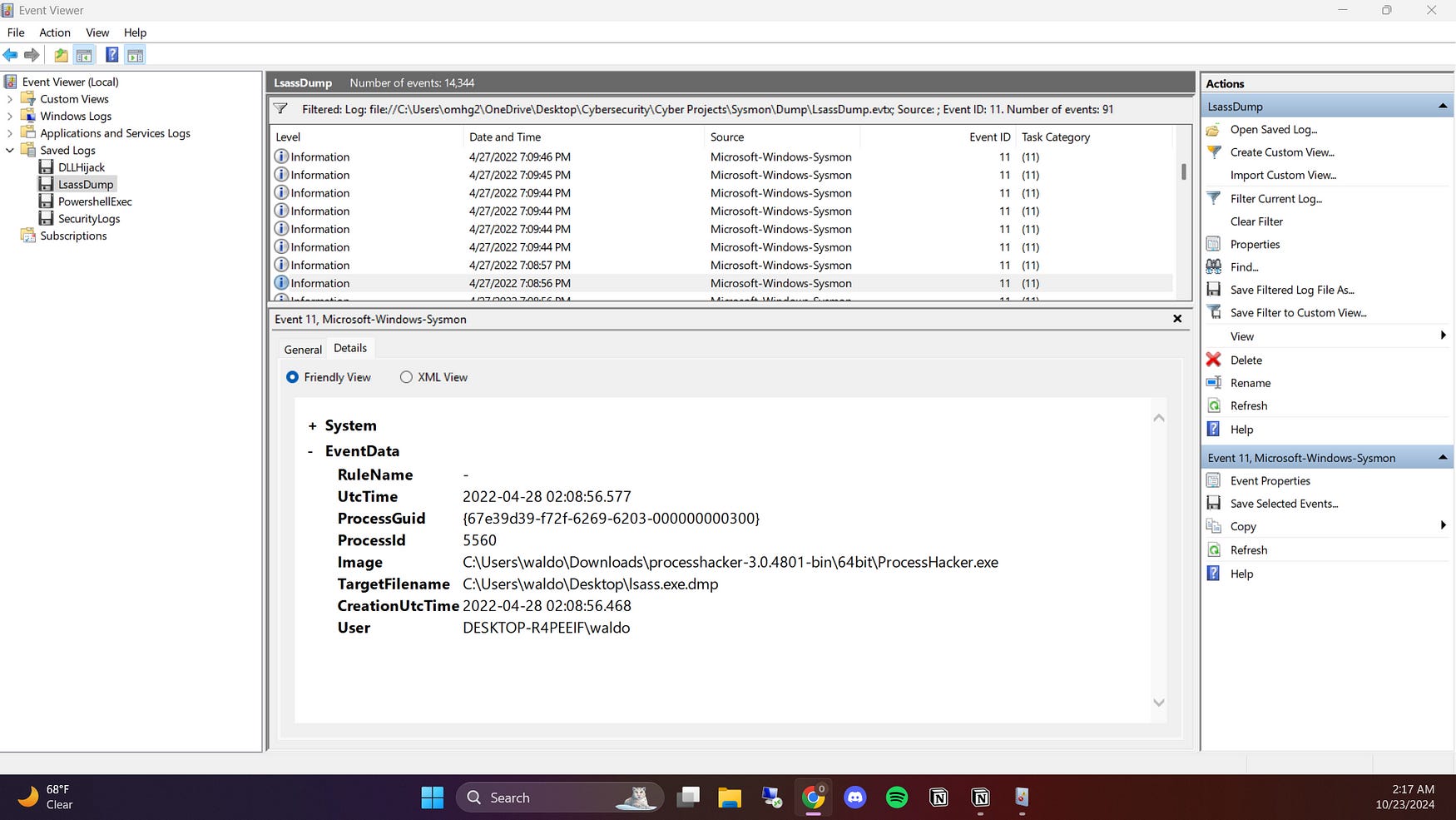
But I had to make sure if that was used for malicious purposes or not, so I looked through the security logs, and I investigated whether ProcessHacker was used for malicious purposes and concluded that it wasn’t, because while the activity involving ProcessHacker.exe may require monitoring due to its potential for misuse, the log lacks sufficient evidence to indicate that an ill-intended login occurred after the LSASS dump. Instead, it reflects legitimate user activity rather than malicious intent, as there were no failed login attempts or any other suspicious activities noted in the logs.
However, I needed to confirm whether ProcessHacker was used for ill-intended purposes. I reviewed the security logs to investigate its activity and concluded that it wasn’t. Although ProcessHacker.exe can potentially be misused, the logs didn’t provide sufficient evidence of any ill-intended login attempts following the LSASS dump. Instead, the activity appeared to be legitimate, with no failed logins or other suspicious behaviors recorded in the logs.
Conclusion
After thoroughly investigating the LSASS dump, I concluded that the activity involving ProcessHacker.exe was not malicious. While the potential for misuse exists, my review of the security logs revealed no evidence of ill-intended logins or suspicious behavior following the dump. Instead, the logs indicated legitimate user activity, with no failed login attempts or any other alarming activities noted. This analysis highlights the importance of careful examination and context when assessing the security implications of processes interacting with sensitive system components.